Configuring API nodes
1
Create an API node
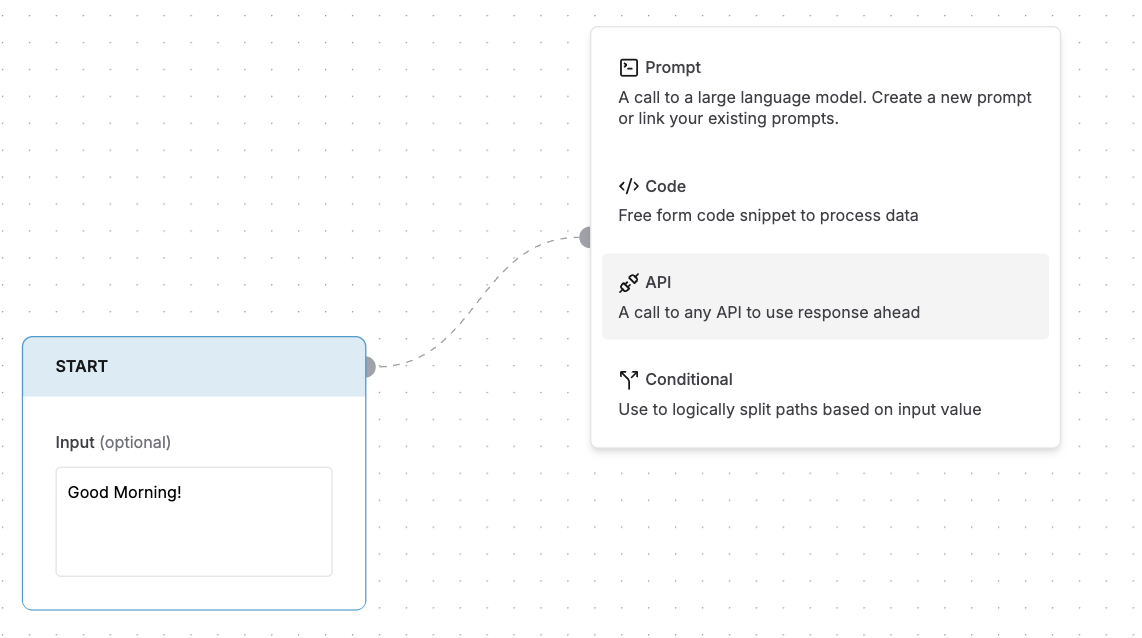
- Drag from any existing node to create a connection or drop an API node from the add node selection
-
Select API from the node type menu
2
Edit API node
-
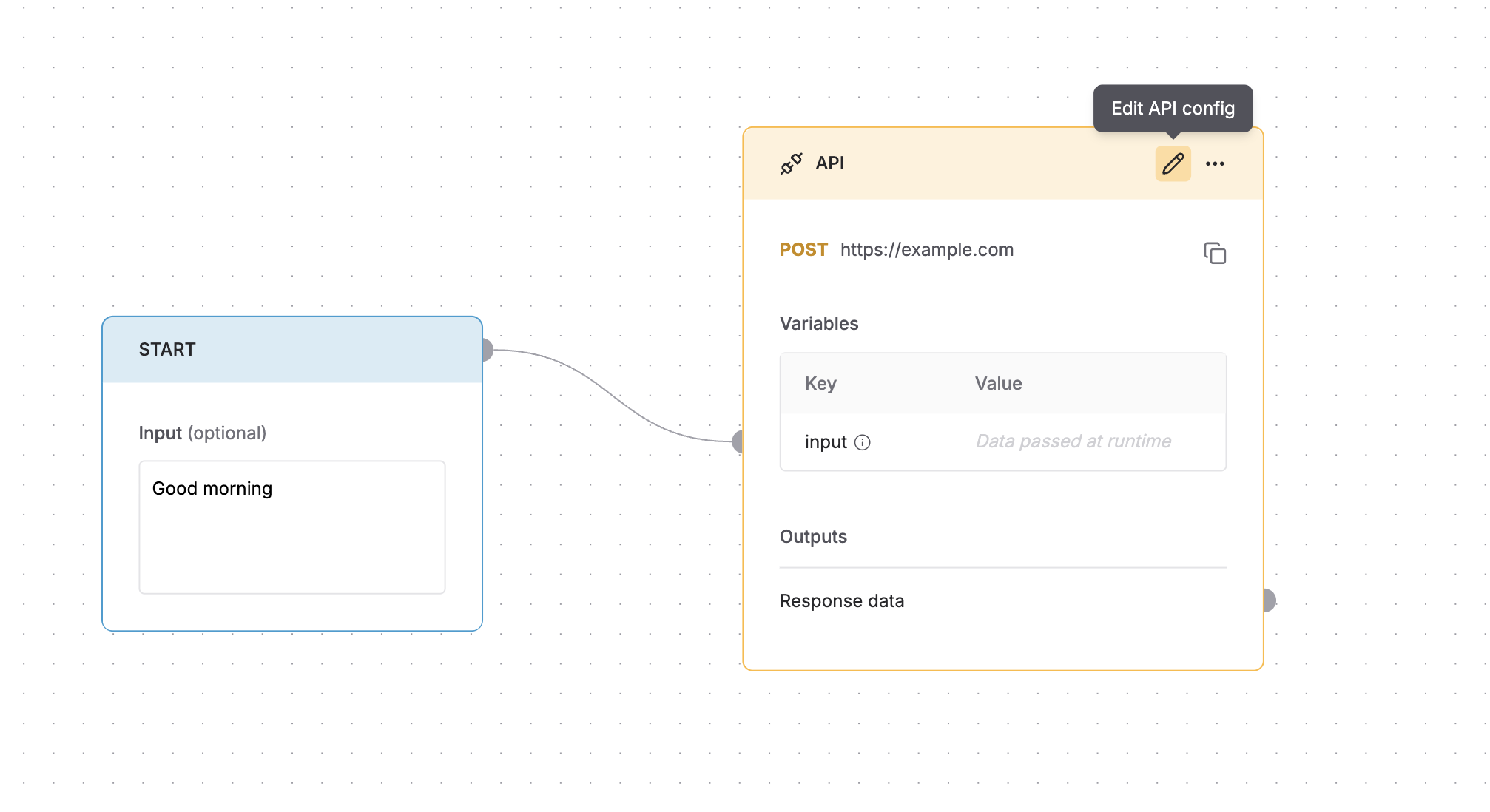
Click the icon in the top-right corner of the node.
3
API node editor
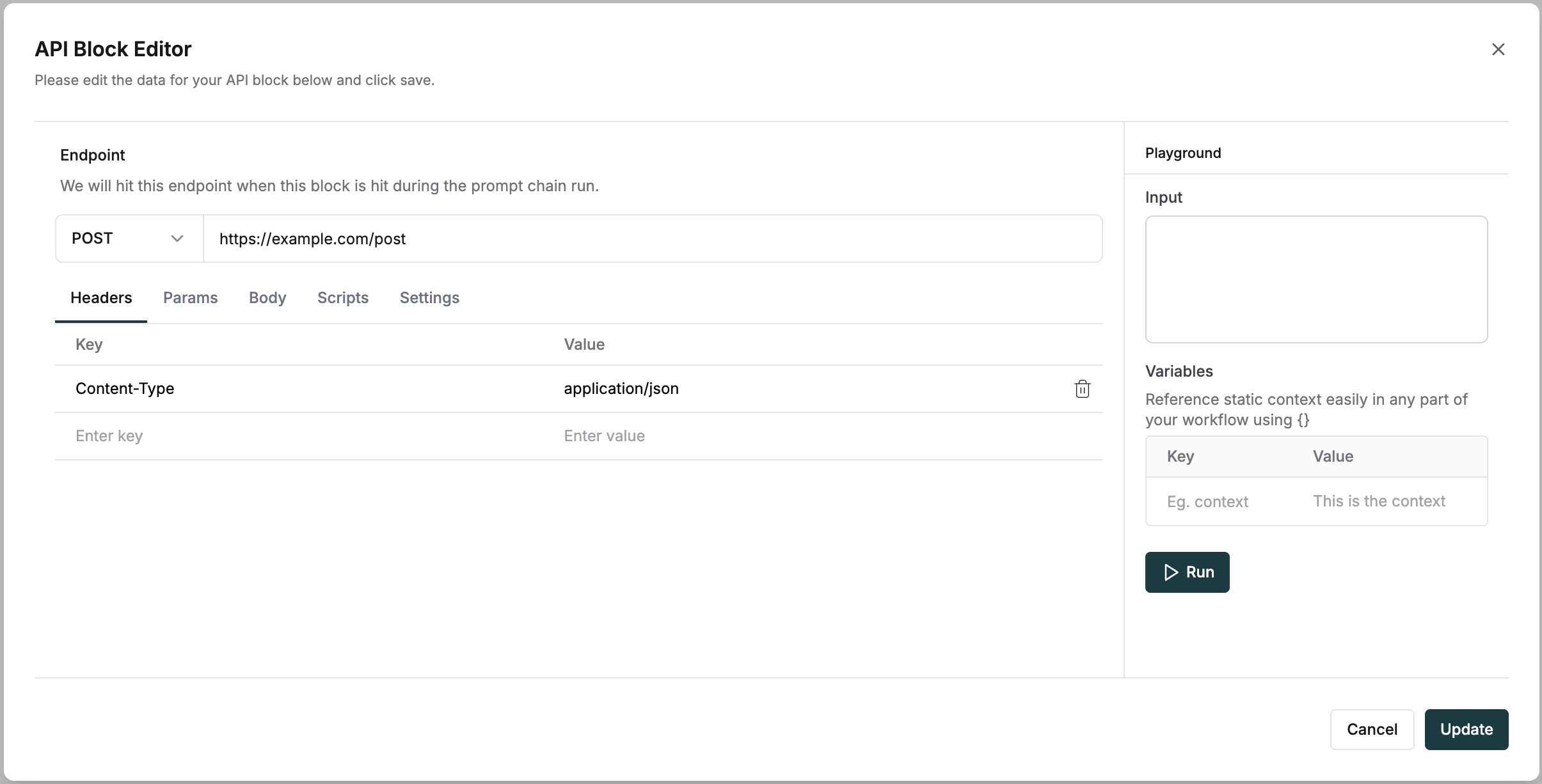
Configure HTTP API requests with standard parameters and custom scripts. The editor provides a complete interface to set up your API endpoints.Request configuration
- Select HTTP methods (GET, POST, PUT, DELETE)
- Add request headers
- Configure query parameters
- Define request body
- Write pre-request scripts to modify request parameters.
- Add post-response scripts to transform API responses.
-
Test API calls directly from the editor.
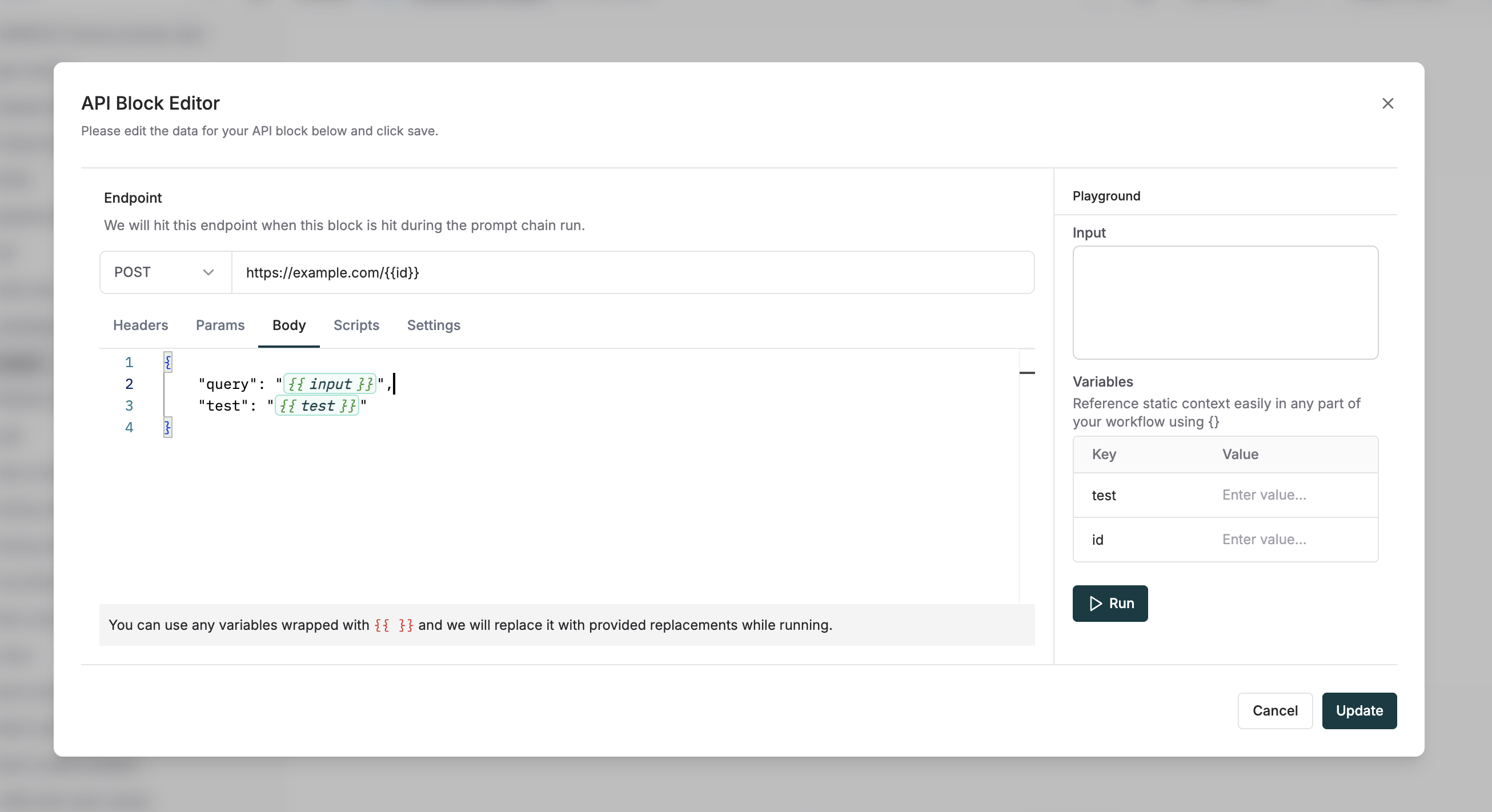
Using variables
Use variables in the request body, query parameters and headers using the{{ variable_name }} syntax.